


A Better Match for Your Digital Workflow
The Scan Body No Longer Has To Dictate Your Components
A doctor sends over a full-arch case last month. Great case, good bone, nice implant positions. Only problem is he scanned it with the OEM scan body that came in the implant kit — not the one I normally see, not one that's ever been part of my regular workflow. My first thought, the old thought, was here we go. Either I track down that exact scan body and buy a handful just to cover this one case, I call the office and ask them to rescan, or I tell them I can't take the case the way it came in. None of those are good options. None of those build trust with a referring doctor.
That thought is basically obsolete now, and it took me longer than it should have to actually believe it. DESS has been quietly building out scan body compatibility across their exocad and 3Shape libraries for a while, and they just pushed out another significant round of it. So I want to walk through what this actually means in our day to day, because "scan body compatibility" sounds like a boring back-end software thing until you're the one holding a case you almost couldn't design.
The Actual Problem: Scan Body Choice Isn't Our Choice
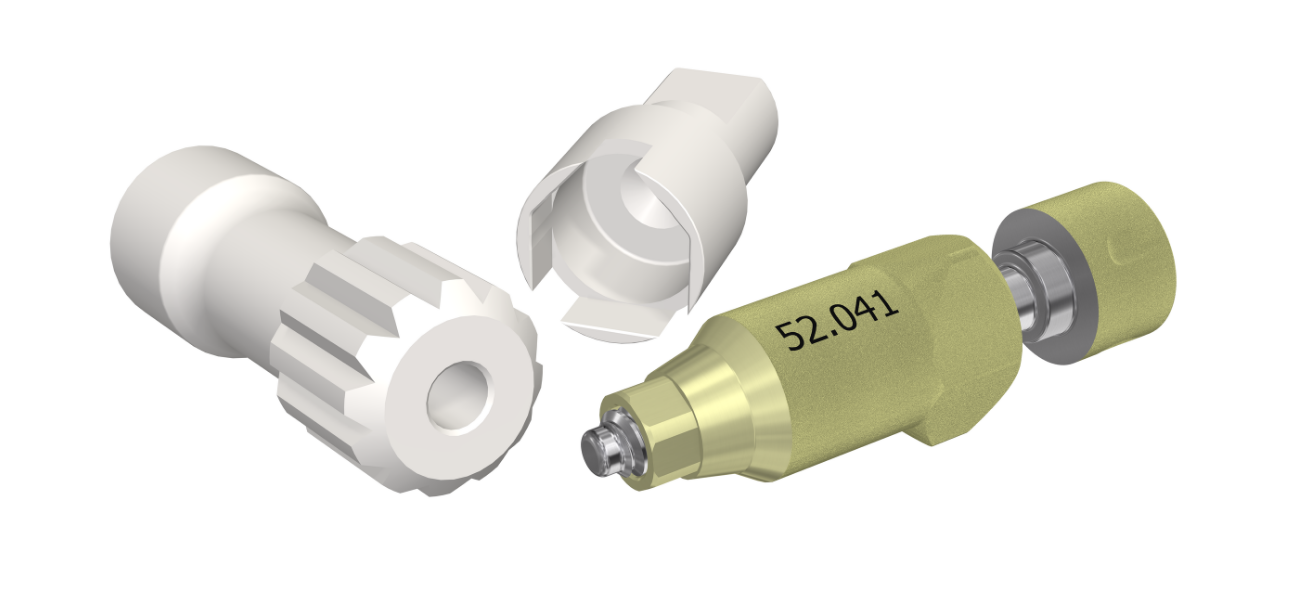
Here's the thing about scan bodies that took me a minute to really internalize — the scan body used chairside and the components used to design and mill the restoration are two completely separate decisions. The scan body's only job is to give the software a reference geometry so it can figure out implant position, depth, and rotation. It doesn't have to be the same brand as the ti-base, the multi-unit abutment, or whatever you're actually building the case on.
In a perfect world, that separation wouldn't matter. In the real world, it matters constantly, because most CAD libraries were built assuming you'd use one manufacturer's scan body to design with that same manufacturer's components. If the doctor scanned with something outside that pairing, the library doesn't recognize it, and now you've got a scan sitting there that your design software can't make sense of against the components you actually want to use.
And doctors are not always going to change what they scan with because it's inconvenient for the lab. They're often loyal to whatever rep sold them their implant system, whatever scan body shipped in the box, whatever their staff already knows how to seat. That's their call to make. Our job is to be able to work with whatever shows up.
What DESS Actually Built Here
What DESS has done — and this isn't brand new for them, it's been expanding for a couple of years now — is build out cross-referenced compatibility so the scan body used clinically doesn't have to match the brand of the component you're designing with. You select the scan body that was actually used in the mouth, and the library maps that geometry correctly to DESS ti-bases, ANGLEBases, multi-unit abutments, whatever the case calls for.
This isn't guesswork or an approximate fit either. DESS built their original scan body design in conjunction with exocad specifically for accuracy, and the third-party mapping runs through the same rigor — matched by implant connection, platform diameter, and cement gap, not just "close enough." The naming conventions differ across libraries, which trips people up, so DESS publishes a compatibility chart cross-referencing their own part numbers against the equivalent third-party scan body part numbers for each platform. I just bookmarked that page rather than trying to memorize it.
This has honestly already been in place for the major third-party scan body brands for a while. If you've been designing DESS cases with Medentika, TruAbutment, NT-Trading, Atlantis, Elos, Preat, or CEREC ScanPost scan bodies, that mapping already exists across most major implant platforms — Nobel, Straumann, 3i, Astra, Zimmer/ZimVie, Osstem, Camlog, and a long list of others. So this isn't DESS scrambling to catch up. It's an ecosystem they've been building out methodically, and the recent update extends it further.
It's worth pointing out what's happening under the hood here, because it explains why this is trustworthy and not just a marketing claim. Every implant platform has its own connection geometry, and every scan body vendor engineers to a slightly different tolerance and reference point on top of that. Getting the mapping right means DESS has to verify, platform by platform, that a given third-party scan body's geometry translates cleanly to their own component's seating position. That's not a five-minute software update — it's measured, verified work across dozens of platform and vendor combinations, and it's why the compatibility chart is organized by implant connection rather than by scan body brand alone. You're not just checking "does DESS support Medentika," you're checking "does DESS support this specific Medentika scan body on this specific implant platform." That level of specificity is exactly what you want when the alternative is a restoration that doesn't seat.
What's New: The Latest Round of OEM Integrations
DESS just rolled out expanded integration for a fresh batch of OEM scan bodies directly in their exocad and 3Shape libraries. The new additions cover:
-
Nobel Biocare — Active, Brånemark, and Replace
-
Straumann — Bone Level and Tissue Level
-
Neodent GM
-
ZimVie — TSV, 3i Certain, and Osseotite
-
Osstem / Hiossen
-
Elos Medtech
-
Medentika
-
IPD — Engaging, Non-Engaging, and 15mm
-
Arum
Those get layered on top of the OEM and third-party compatibility DESS already had running, so the net effect is a noticeably wider window of cases where you can take whatever scan body the doctor used and still design in DESS components without a workaround.
Practically, that means fewer situations where you're buying a scan body you'll maybe use once, fewer disruptions to a workflow that's already dialed in, and more freedom in how you plan and design a case. You keep the scan you already trusted your intraoral scanner to capture, and you don't lose any ground on the design side.
How This Plays Out On An Actual Case
Say a case comes in scanned with a Straumann Bone Level scan body, but you want to build the restoration on a DESS ANGLEBase because the screw access is going to land somewhere ugly otherwise. Before this kind of integration, that's a real conflict — you either need the matching Straumann-brand ti-base to stay consistent with the scan body, or you need to get a rescan with a DESS scan body, or you improvise and hope the fit holds.
With the library mapping in place, you open the case, select the Straumann Bone Level scan body as what was actually used chairside, and then choose the DESS ANGLEBase as your design and milling component. The software already knows how those two objects relate to each other geometrically, so your implant position transfers correctly and the angled screw channel design happens exactly the way it would if you'd scanned with a DESS scan body from the start.
Same logic applies whether you're doing a single unit, a multi-unit full-arch case, or anything using ELLIPTIBase or CBase geometry. The scan body is just the messenger. As long as the library has the mapping, the message gets through clean regardless of whose logo is stamped on that little PEEK post.
Full-arch cases are where this saves the most real headaches, honestly. If you've got four to six implants across an arch and the surgeon used a mix of scan bodies — or an OEM scan body you don't stock — rescanning isn't a quick fix. You're asking the patient to come back in, you're asking the surgeon's office to redo verification, and you're pushing your production timeline out by however long that takes to schedule. Being able to design the multi-unit framework directly off the scan that was already captured, using DESS multi-unit abutments and your normal bar or bridge workflow, keeps that whole case moving instead of stalling it out over a component mismatch.
Why This Actually Matters For Your Day-To-Day
I'll be honest, when component manufacturers talk about library expansions I usually tune out a little, because half the time it's a marginal update to something already there. This one's different because of how often the underlying problem actually shows up. Every lab working with multiple referring doctors is going to run into scan body mismatches regularly - it's not an oddball case, it's a normal Tuesday.
The direct benefit is fewer additional purchases. You're not stocking scan bodies you'll rarely touch just to cover one doctor's preference. There's no unnecessary disruption to a digital workflow that already works - you're not rebuilding a process around a scan body brand, you're just extending what your existing process can handle. And you get more freedom when you're planning and designing restorative cases, because the component decision and the scan body decision stop being locked together.
There's a trust angle here too that's easy to overlook. When a referring doctor sends a case and it comes back clean, on time, without a callback asking them to rescan with a specific scan body, that's a small thing that adds up over a relationship. Nobody wants to be the lab that keeps bouncing cases back over a compatibility issue they had no way of knowing about.
One Thing Worth Doing Before You Rely On This
Before you build a workflow around any of this, actually pull the compatibility chart and check the specific scan body against the specific implant connection and platform you're working with. DESS updates this regularly, and coverage varies by platform — some implant systems have broader third-party mapping than others, and naming conventions between exocad, 3Shape, and the third-party manufacturers aren't always intuitive. A five-minute check against the chart before you start a design saves you from finding out mid-case that a particular combination isn't mapped yet.
If you're not sure where a specific scan body maps to on the DESS side, that's exactly what their libraries page and compatibility documentation are for. It's worth having that page bookmarked if you're taking cases from multiple offices with different implant preferences, because you'll be referencing it more than you'd expect.
One more practical note: naming conventions across libraries are genuinely inconsistent, and that's not a DESS problem specifically — it's an industry-wide mess. The same physical connection might show up under a different code depending on whether you're looking at the exocad library, the 3Shape library, or the manufacturer's own part number. Cross-check the connection type and platform diameter, not just the label on the dropdown menu, especially the first few times you're working a new platform combination. And remember that scan body compatibility covers the digital side of the case — you'll still want to confirm you have the right screws and drivers for the DESS components you're actually using to fabricate and seat the restoration. The library gets your design right; your physical inventory still has to match it at delivery.
The Bottom Line
The scan body a doctor happens to use shouldn't be the thing that determines whether you can take a case or which components you get to use on it. That's always felt like a backwards constraint to me — a piece of digital plumbing dictating clinical and lab decisions that should be based on what's actually best for the restoration. DESS closing that gap, and doing it across a growing list of major OEM and third-party scan bodies, means one less variable standing between the case that comes through your door and the components you actually want on it.
This isn't a workaround or a patch. It's built into the same exocad and 3Shape libraries you're probably already running, and if you haven't checked lately, it's worth pulling up the current compatibility chart and seeing what's covered now that wasn't a year ago. Use the scan bodies you already have. Keep the workflow you already trust. That's not a tagline, that's just how it should work.
Explore DESS Libraries and download the latest library files and scan body compatibility resources at https://www.dess-usa.com/library-files/.
Here to serve,
Jimmy